Post Dashboard
Post Summary
The Article Card provides a quick overview of an individual post's performance and engagement metrics.

Post Overview
Understand your post's performance at a glance with the following metrics:
- Total Views: The number of views your website received
- Sessions: The number of visits to your site
And visualize the trend of your post's performance over time.

Read-through
How far into the article your readers got, over the selected period. Four cumulative bars (25%, 50%, 75%, the end), the median depth of the post, and the gap to the median of the whole site.
Views that carry no depth are left out of the calculation: pages shorter than the screen, and views
recorded by a tracker version cached before the feature shipped. The panel states how many views it
computed on, next to the total. Full details in Read-through depth,
including how to point the tracker at your content with data-content-selector.
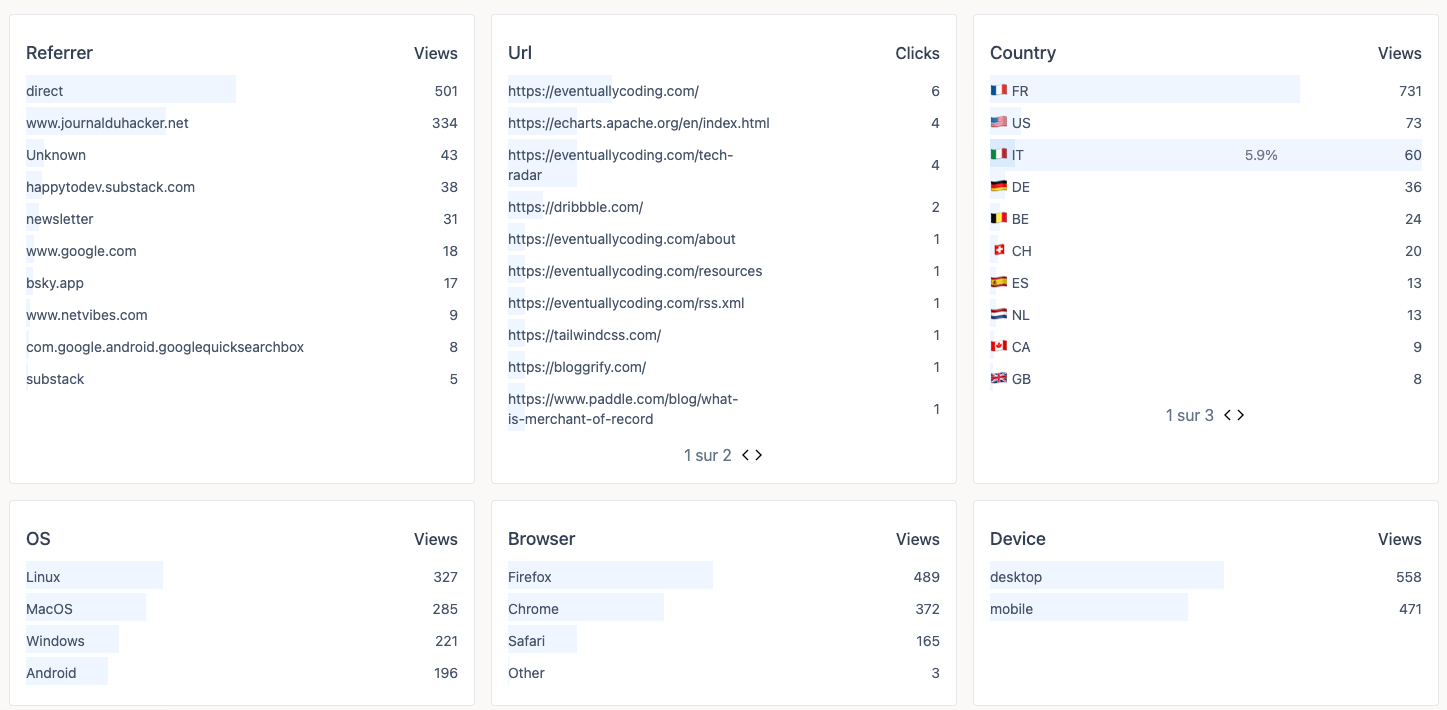
Post audience
Get an overview of your audience, their origin, country, browser, device type, and operating system for the selected post.
SEO
The SEO tab of a post gathers its Scout diagnostics and, once a property is connected, the Search Console queries that brought visitors to this page.