Google Search Console
Pulse measures what happens once a visitor lands on your site. Google Search Console holds the step before: the queries people typed, how often your pages appeared, and where they ranked. Connecting a property brings that data into your Pulse dashboards, next to your own analytics.
The connection is read-only.
Connecting a domain
Open your website settings and select the Search Console tab.
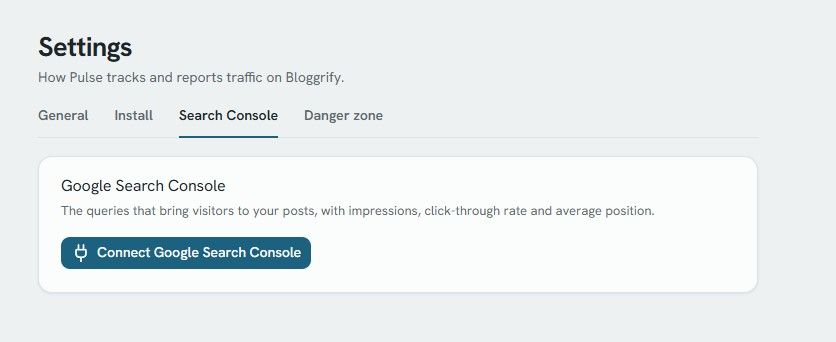
- Click Connect Google Search Console. You are redirected to Google to authorize the access.
- Back in Pulse, pick the property you want to use for this site.
- The card switches to Connected.
The property list shows every property the Google account has access to, whether it is a domain property (sc-domain:example.com) or a URL-prefix property (https://example.com/). Pulse preselects the one that matches your site domain. Properties whose domain does not match are flagged with domain differs, so you can still pick one if your setup requires it.
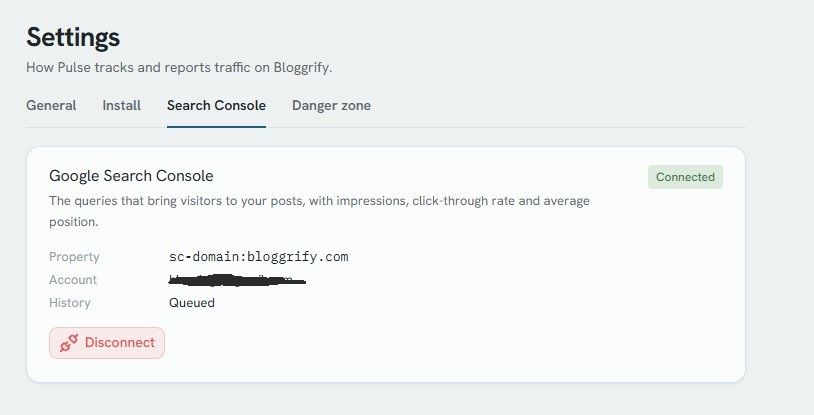
Once connected, the card shows the property, the Google account used, and the state of the historical import.
Historical import
After the property is selected, Pulse imports your history in the background. The import covers the last 16 months, which is the maximum retention Search Console offers, and it works backwards month by month from the most recent data.
The History line reflects the progress:
- Queued: the import has not started yet. It picks up within about ten minutes.
- Syncing…: the import is running. Panels already show the data imported so far.
- Available: the full history is in place.
After that, Pulse refreshes the last four days every night. Search Console itself publishes data with a delay of two to three days, so the most recent days stay empty for a while. This is a limitation of the Search Console API, not of the sync.
Where the data appears
Website overview
A Search queries panel is added to the site overview, with the totals for the selected period and the queries behind them.
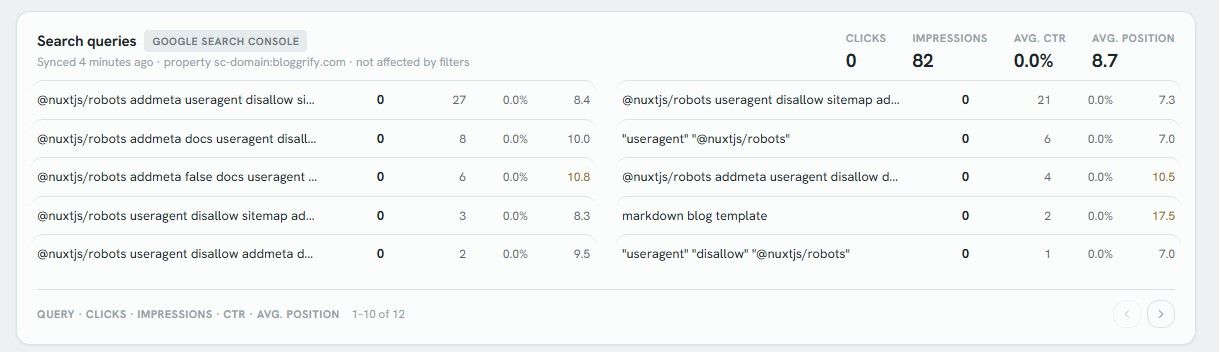
The four totals are clicks, impressions, average CTR and average position. The list below shows the same metrics per query, ten at a time. Average positions are colour-coded: green up to position 3, neutral up to position 10, amber beyond.
This panel follows the period selector at the top of the page, but it ignores the segment filters. Search Console data is aggregated by Google on its own dimensions, so it cannot be broken down by country, device or referrer the way your Pulse data can. The panel subtitle states it explicitly.
Insights
The same panel is available at the bottom of the Insights page, for the year you are looking at.
Post SEO tab
Each post has its own Search queries table in the SEO tab, listing the queries that brought visitors to that page. Every column is sortable, and the table follows the period selected in the post header.
Reading the numbers
- Clicks: visitors who clicked through to your page from Google search results.
- Impressions: how many times a page of yours appeared in results for that query.
- CTR: clicks divided by impressions.
- Avg. position: the average ranking, weighted by impressions. Lower is better.
Two things explain gaps between Search Console and the rest of Pulse:
- Search Console anonymizes rare queries. Queries typed by very few people are counted in the totals but never appear as a row, so the sum of the rows is lower than the total.
- Clicks from Google and views recorded by Pulse are two different measurements. A click counted by Google that never finishes loading, or a visitor who arrives from elsewhere, produces a difference in both directions.
Reconnecting
If the Google authorization expires, or if the access is revoked from your Google account, the sync stops and the card displays Reconnect required. Existing data stays in place until you reconnect.
Disconnecting
The Disconnect button revokes the token on Google's side and deletes every Search Console metric imported for this site. Search queries disappear from the overview, the Insights page and the post SEO tabs.
Nothing is lost permanently: reconnecting the same property re-imports the last 16 months of history from Google.
Scout
Hakanai Scout provides automated SEO diagnostics for your website pages. Integrated with Pulse analytics to help optimize your content performance.
Allow Hakanai Bot for SEO Insights
Hakanai Bot is essential for providing SEO insights and technical analysis of your blog. Learn how to allow it to access your pages and gather data.